
What Is a Reverse Image Search?
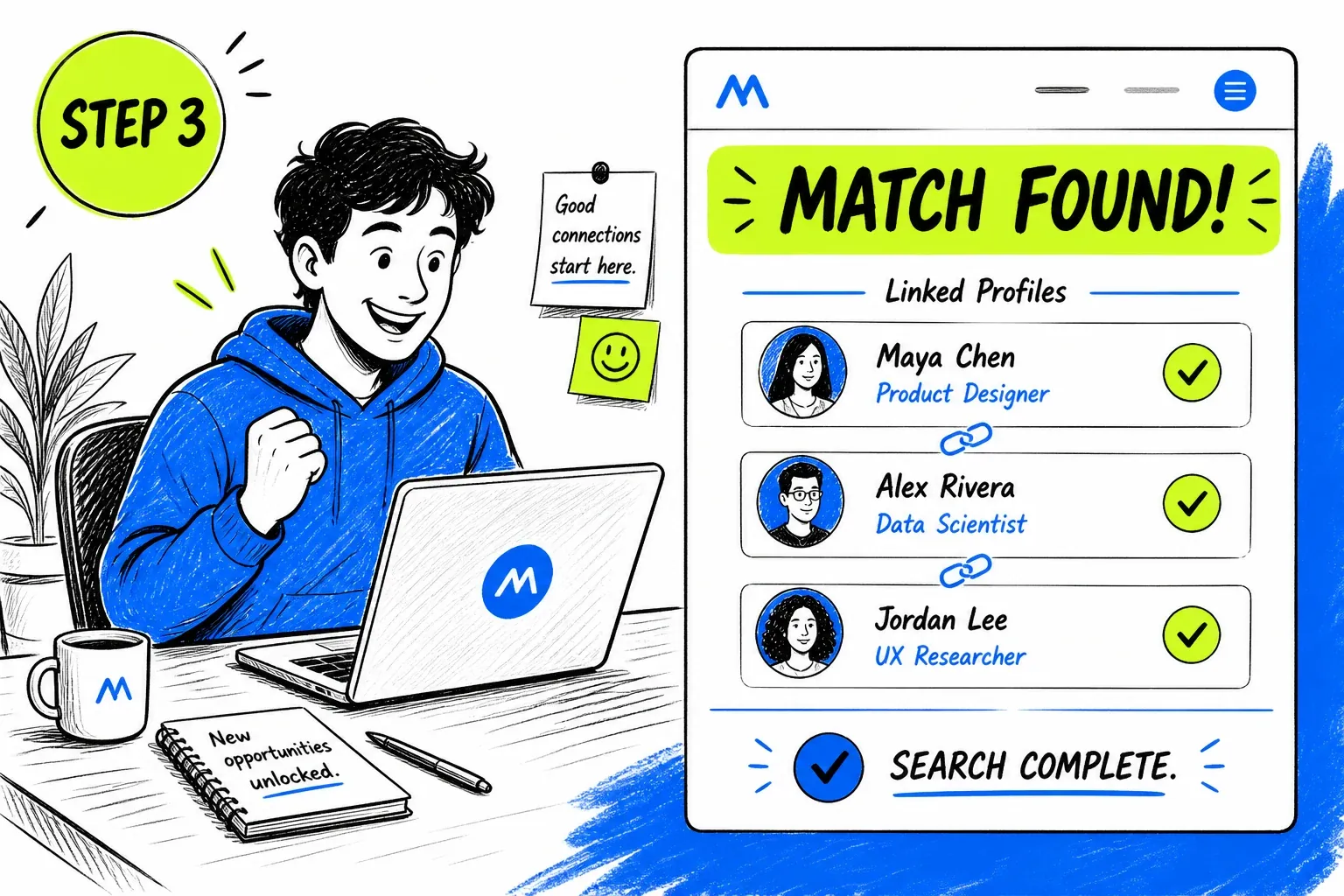
A reverse image search, also called search by image or a reverse photo lookup, uses a picture as the query instead of words. You upload an image and the search engine returns pages where the same or a similar image appears. It is the quickest way to find the original source of a photo, see where a picture has been reposted, or check whether a profile photo really belongs to the account using it.
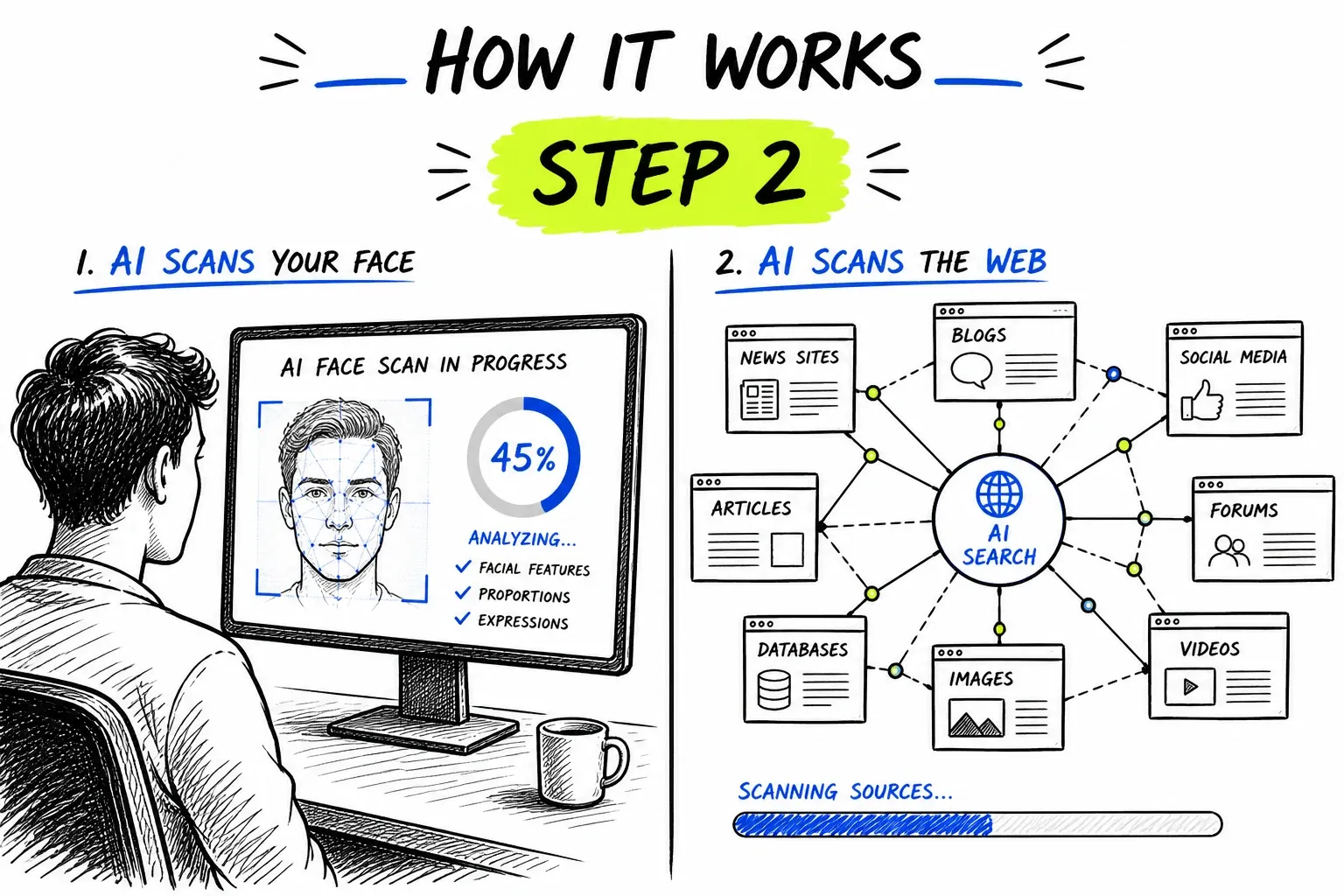
Different engines are good at different pictures. General engines are best for products, places, artwork and exact copies. For photos of people, a face-based engine like this one also finds other photos of the same person. If you want the details of how that works, read our guide to face search.
How to Do a Reverse Image Search on Any Device
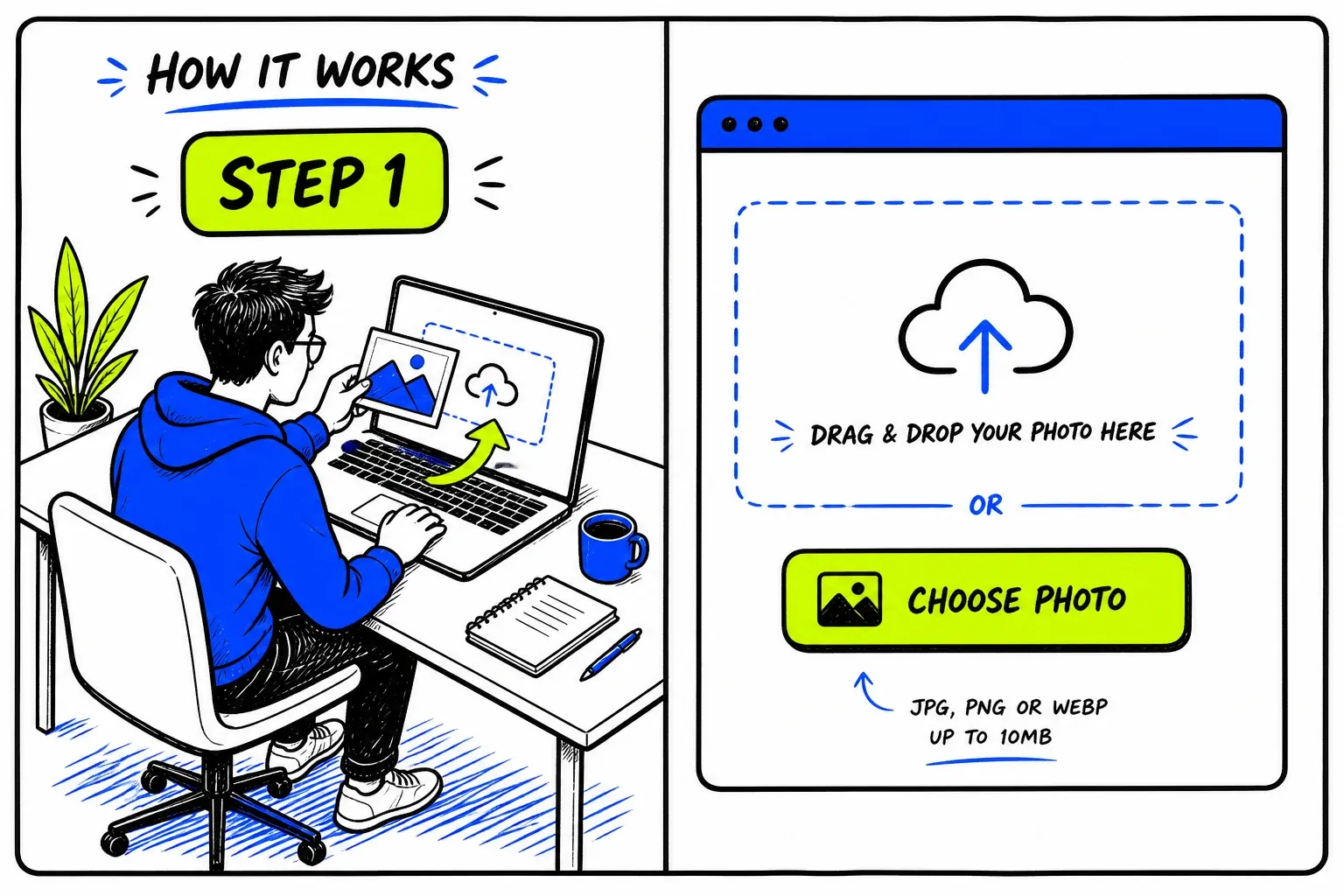
You do not need an app. Save or screenshot the picture, then upload it. Here is the fastest route on each device.
On a computer
On iPhone or iPad
On Android
From a social media or dating profile
What You Can Find With a Reverse Image Search
A single photo can answer more questions than most people expect.
The Original Source of a Photo
Photos lose their captions, credits and metadata as they are shared. Searching by image points you back to earlier copies, which is often enough to find who took it and where it was first posted.
- Compare dates across the results
- Useful when metadata has been stripped
Where Your Own Photos Are Posted
Upload a picture of yourself to see which public sites show it, including reposts, scraped copies and accounts that use your photo without asking.
- Collect links for takedown requests
- Repeat every few months
Whether a Profile Picture Is Stolen
If a profile photo also appears on unrelated accounts, a model portfolio or a stock site, the account using it is probably not the person in it.
- Works from a screenshot of the profile
- Check the names on the other pages
Whether a Viral Photo Is Old or Out of Context
Photos from past events are often reshared as new. Finding earlier copies of an image shows when it really appeared and what it originally showed.
- Look for the earliest date
- Read the original caption
Tips for Better Reverse Image Search Results
Most failed searches come down to the image that was uploaded.
- Use the largest version you can findOpen the photo in full size before saving it. Thumbnails and previews throw away the detail that matching relies on.
- Crop away everything elseRemove app bars, captions, stickers and other people. The search should only see the part of the picture you care about.
- Avoid photos of screensA phone photo of a monitor adds glare, blur and moiré patterns. Take a real screenshot instead.
- Try a second photoIf one picture returns nothing, another photo of the same subject often does, especially one with a clearer, front-facing view.
Which Reverse Image Search Should You Use?
| What is in the image | FaceFinderLens | Google Lens, Bing, TinEye |
|---|---|---|
| A person's face | Best choice. Finds copies and other photos of the same face. | Finds exact copies. Usually avoids matching private people's faces. |
| A product, plant or landmark | Not designed for it. Results need a visible face. | Best choice. Built to recognise objects and places. |
| An exact copy of a file | Found if the image contains a face. | Very good, and TinEye can sort results by date. |
| An edited or filtered portrait | Good. Matching is based on the face, so edits matter less. | Hit and miss. Heavy edits often break the match. |
Why FaceFinderLens for reverse image search
Face Search + Full Research Toolkit in One Place
A photo rarely tells the whole story alone. The moment you find a face match, FaceFinderLens puts face comparison and the AI image detector right beside your image results — so you can build a more complete profile without leaving the platform.
- Shared credits across every FaceFinderLens tool
- Continue from an image match to face comparison on the same site

Powered by Advanced Face Recognition AI
FaceFinderLens uses FaceCheck.ID's industry-leading face recognition engine, which searches billions of indexed public images across social networks, news sites, and public records. Results include confidence scores and direct links to source pages.
- AI-powered visual similarity matching
- Direct links to source pages for every match
Frequently asked questions
How do I do a reverse image search?
Save the image or take a screenshot of it, crop it to the part you care about, and upload it using the search box on this page. Results link to the pages where the photo or the same face was found.
How do I reverse image search on my phone?
Save the picture or take a screenshot, open this page in your phone's browser, tap the upload box and choose the image from your photo library. It works the same way on iPhone and Android.
Can I reverse image search a screenshot?
Yes. Screenshots work well as long as you crop out the app interface first, so that only the photo itself is searched.
Is reverse image search free?
General engines such as Google Lens, Bing Visual Search and TinEye are free. On FaceFinderLens, starting a search is free, and seeing the full list of face matches with their source links uses one credit.
Can a reverse image search find a person?
It can find public pages that show the same person, and those pages often include a name or username. Results depend on how much of the person appears publicly online, and every match should be checked before you rely on it.
Why did my reverse image search return no results?
The photo may never have been posted publicly, it may be too small or blurry, or it may not contain a clear face. Try a larger, sharper version, crop it tightly, or run it through a general image engine if the picture is not of a person.
Related Searches
Tools for more specific questions about a photo.
Guides & resources
Read in-depth guides that match this tool — tips, statistics, and step-by-step walkthroughs.