
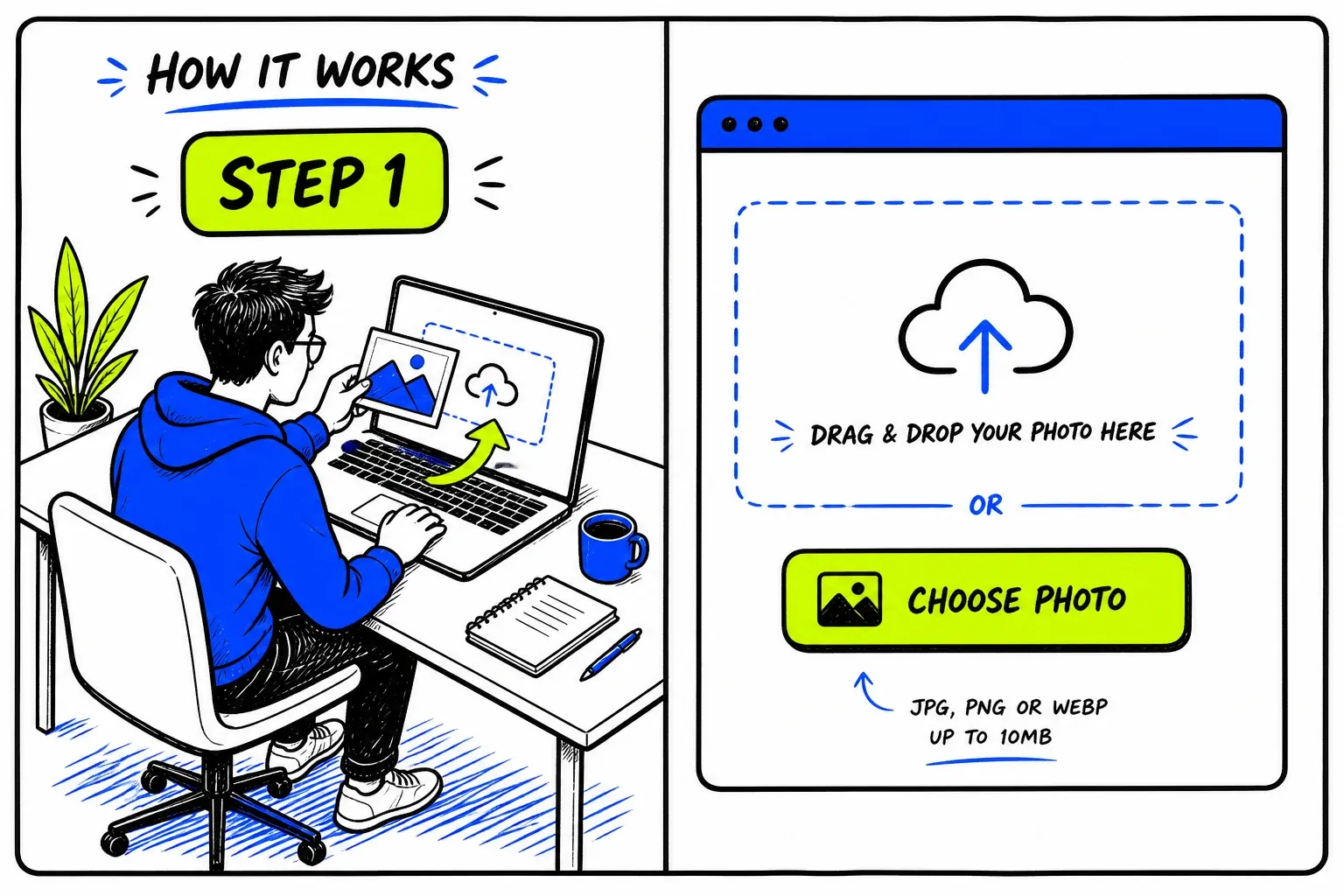
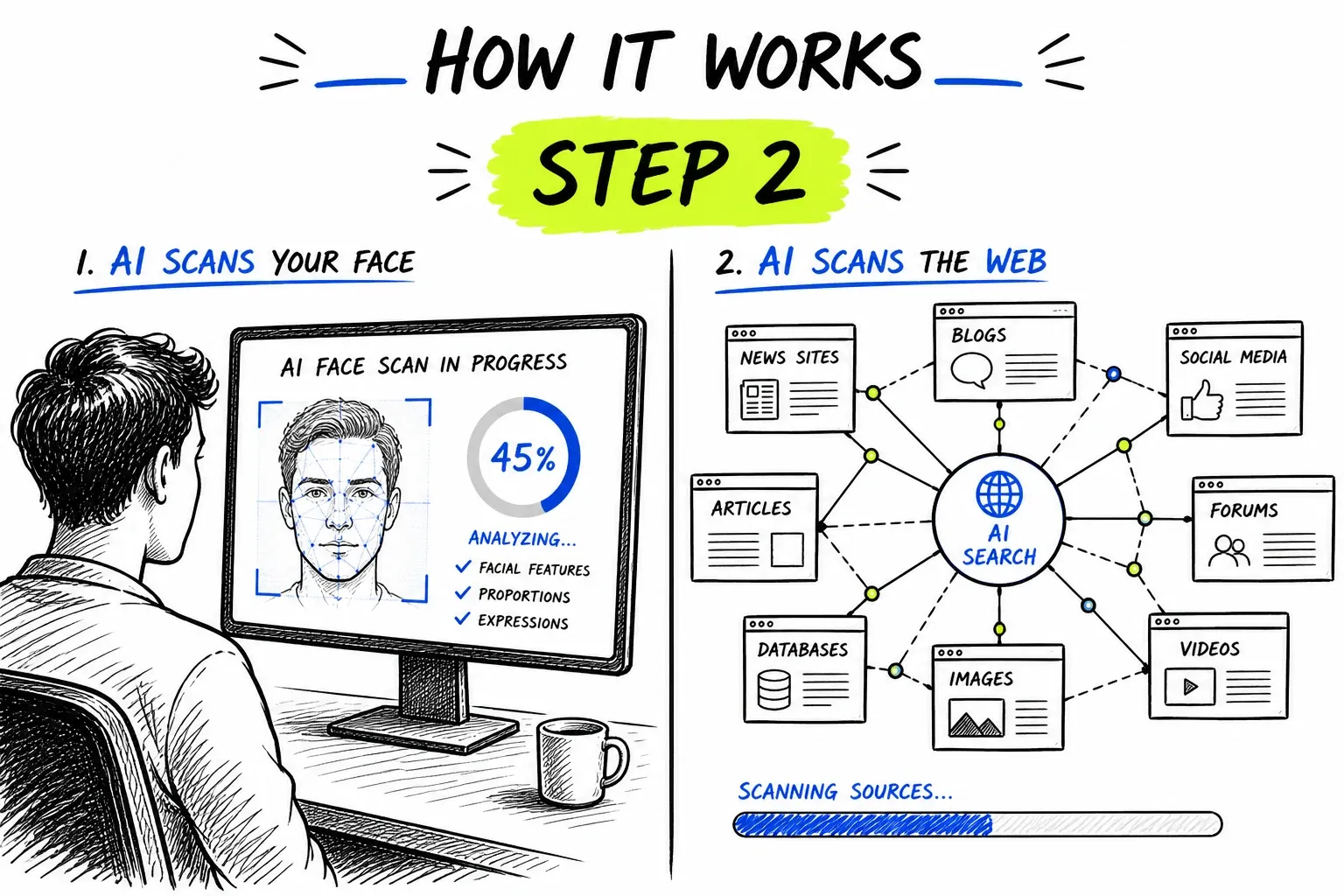
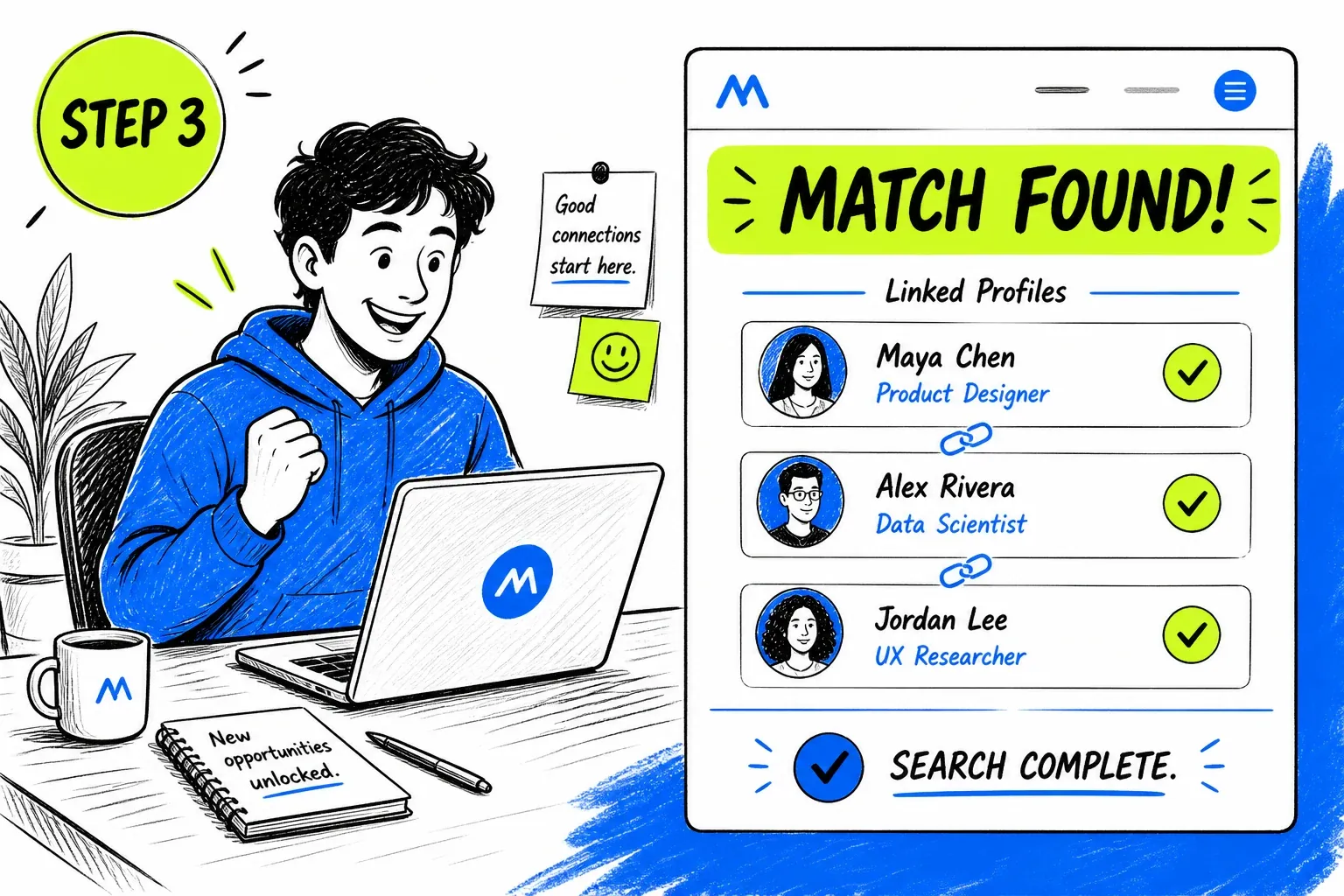
What Is a LinkedIn Face Search?
LinkedIn face search is a verification job rather than a discovery one. The question is rarely "who is this" — you usually have a name already. It is "does this headshot actually belong to the person whose name is on the profile", which is answerable because professional photos tend to appear in more than one place: a company team page, a conference bio, a press quote.
Worth being precise about the mechanics: this does not query LinkedIn directly, and no tool honestly can. It searches an index built from publicly reachable pages — which is where LinkedIn profile images and public posts end up once they are crawled. The same engine powers our general face search tool; this page covers what it does and does not reach on LinkedIn specifically.
What Is Actually Public on LinkedIn
LinkedIn itself is guarded, but professional headshots live in many places outside it — which is what makes this check work.
Logged-out profile photos
Company and team pages
Conference bios and press
Stock photography
When a LinkedIn Face Search Helps
This is a due-diligence check, and it works best when you already have a claim to test.
Check a Recruiter Before You Apply
Fraudulent job offers open with a plausible recruiter profile and end with a request for documents or an upfront fee. If the headshot is stock or belongs to someone else, you have your answer early.
- Confirm the photo against the employer site
- Check before sending ID or bank details
Vet a Vendor or Contractor
Before a contract or a first invoice, confirm the person you have been dealing with has a consistent public presence under that face and that name.
- Cross-check the company team page
- Look for a coherent history, not just a hit
Confirm an Inbound Investment Approach
Advisory and investment scams lean on invented professional credibility. A borrowed headshot is one of the easier parts of that construction to test.
- Stock portraits surface immediately
- Pair with a check of the firm's registration
See Where Your Own Headshot Is Used
Professional photos get reused without permission on directories, lead-generation sites, and occasionally on profiles impersonating you.
- Find directory listings you never authorised
- Collect URLs for removal requests
Getting a Usable Photo Off the Platform
Professional headshots are the best possible input for a face search — posed, lit, and front-facing by design.
- Open the photo at full sizeClick the profile picture so it expands before you capture it. The thumbnail on the profile header is much smaller than the stored image.
- Crop to the head and shouldersRemove the surrounding interface. Headshots are usually already well-framed, so a light crop is all it needs.
- Watch for a studio lookA neutral backdrop and professional lighting on an otherwise thin profile is worth noting before you even search — it is the signature of stock imagery.
- Try a second photo if there is oneConference bios and team pages often carry a different shot of the same person. A second angle is a useful cross-check on an ambiguous first result.
The general rules — sharp, evenly lit, front-facing, one face per search — apply here too. They are covered in more depth on the face search guide.
Running a LinkedIn Face Search Here
Answers a Verification Question, Not an Identity One
You usually arrive here with a name and a claim to test. Results come back as source pages with similarity scores, which is exactly the shape needed to confirm or contradict a claim — you can see whether the face and the name stay consistent across independent sites.
- Every match links to its source page
- Consistency across sources is the real signal
Pairs With the Rest of the Check
A headshot is one data point. Run the same photo through face comparison or the AI image detector on the same account and the same credit balance, so a second check does not mean signing up somewhere else.
- Face comparison and AI detection on the same platform
- One credit balance across every tool
Coverage Limits on LinkedIn
LinkedIn is the most access-restricted platform on this list, and that shapes what you can expect.
- LinkedIn actively blocks crawling
- The platform restricts automated access aggressively, so coverage of LinkedIn pages themselves is patchy and inconsistent.
- Many profiles require a login
- Profiles limited to signed-in visitors publish nothing crawlable, so their photos are not in any index.
- Some people exist only on LinkedIn
- For a private professional, the LinkedIn headshot may be the only photo of them online. An empty result then says nothing about whether they are genuine.
- A real photo does not mean a real offer
- Compromised and purchased accounts carry genuine headshots. Confirming the photo does not confirm who is typing.
- Not for employment screening
- This is not a consumer reporting agency and results are not eligible for hiring, credit, housing, or insurance decisions.
- Corroborate before acting
- Treat results as one input alongside the company domain, registration records, and a direct call to a published number.
Privacy and Responsible Use
This searches publicly published material. It does not access LinkedIn accounts, private profiles, or messages, and it cannot retrieve anything the platform keeps behind a login.
Your uploaded photo is passed to our search provider to run the query and removed from our servers immediately afterwards. Searches are not published, and the person in the photo is not notified.
Verifying someone who approached you about money or documents is reasonable diligence. Researching a colleague, a candidate, or an ex is a different activity, and this tool should not be used for it — nor for any formal screening decision.
Before you search
- Only upload photos you have the right to use.
- Have a reason you would be comfortable stating out loud.
- Treat every match as a lead to check, never as a confirmed fact.
- Never use results to contact, follow, pressure, or expose someone.
- Do not use this tool for employment, credit, housing, or insurance screening — it is not a consumer reporting agency.
- Report impersonation to LinkedIn through their own reporting flow rather than acting on it yourself.
Frequently asked questions
Can you search LinkedIn by face?
Not inside LinkedIn, which offers no face search and restricts automated access. What works is searching a LinkedIn headshot against the wider public web, where the same professional photo usually appears on company pages, conference bios, and press items — or, revealingly, in a stock library.
How can I tell if a LinkedIn profile is fake?
A face search is one useful signal: if the headshot traces to a stock library or to a different person's name, the profile is fabricated. Combine it with profile age, connection count, whether the employer's own site lists them, and whether the domain in their email actually belongs to the company.
Is it legal to search a LinkedIn photo?
Searching publicly published images is generally lawful, and verifying someone who has approached you about employment or payment is a recognised legitimate interest. Local privacy law still governs what you do with the result, and this tool must not be used for formal employment screening.
Why did my LinkedIn face search find nothing?
Most often because the person has a genuinely small public footprint, or because their profile is restricted to signed-in visitors. LinkedIn's anti-crawling measures also mean its own pages are indexed inconsistently. An empty result is not evidence of anything.
Will the person see that I searched?
No. This does not visit their LinkedIn profile, so it generates no profile view and no notification.
Where to Go Next
One index sits behind all of these — the difference is the question you are asking of it.
Guides & resources
Read in-depth guides that match this tool — tips, statistics, and step-by-step walkthroughs.