How to Reverse Image Search a Hinge Profile Photo in 2026
Hinge profiles can tell you quite a lot about someone: their first name, photos, interests, dating prompts, and sometimes details about their work, education, or lifestyle.
But a polished profile does not automatically mean every photo or detail is genuine.
If something about a Hinge match feels inconsistent, one useful check is a Hinge reverse image search.
Instead of searching by name, you start with one of the person’s profile photos and check whether the same face or image appears elsewhere on the public web.
That can help you discover reused photographs, public social profiles, older versions of an image, or completely different identities associated with the same face.
Here is how to do it.
Can You Reverse Image Search a Hinge Profile?
Hinge itself does not provide a reverse image search feature.
You cannot upload a picture inside Hinge and ask the app to find every profile containing that person.
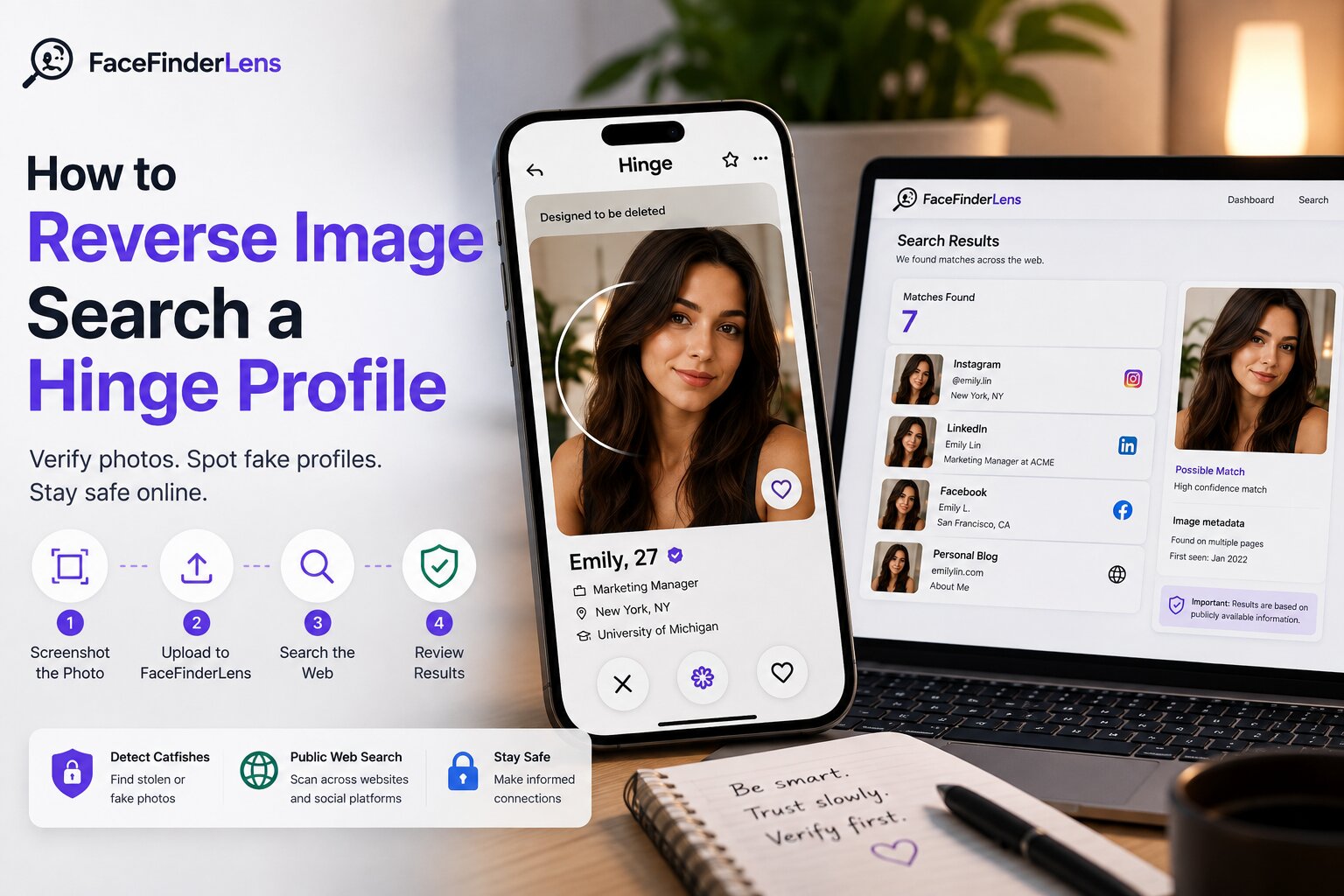
Instead, you can take a clear screenshot of a Hinge profile photo and run it through an external reverse image or face-search tool.
There are two slightly different technologies involved.
Traditional reverse image search tries to locate the same or visually similar image online.
Face search goes a step further by analyzing facial characteristics, which can potentially find other photographs of the same face even when the crop, background, clothing, or image itself is different.
For dating-profile verification, that distinction matters.
A stolen Hinge photo may have been resized, cropped, filtered, screenshotted, or taken from another social account. Searching the face rather than relying only on an identical image can therefore provide additional clues.
How to Reverse Image Search a Hinge Photo With FaceFinderLens
The process only takes a few steps.
Step 1: Choose the Clearest Hinge Photo
Start with the best photo available on the profile.
A front-facing portrait with good lighting generally gives a face-search system more usable information than a distant full-body picture.
Try to avoid photographs where:
- several people appear in the frame
- sunglasses cover much of the face
- the image is extremely blurry
- the face is very small
- heavy filters significantly change facial features
If the profile contains several photos, choose the clearest one first.
You can always test another photo afterward.
Step 2: Take a Screenshot and Crop the Image
If you cannot save the Hinge photo directly, take a screenshot.
Then crop out unnecessary interface elements such as buttons, prompts, navigation controls, text and large sections of background.
You do not need to crop the image down to only two eyes and a nose. Keep enough of the head and face visible for the image to remain clear.
The important part is making the person you want to check the obvious subject of the photograph.
Step 3: Upload the Photo to FaceFinderLens
Open FaceFinderLens and upload the screenshot or photograph.
FaceFinderLens analyzes the image and searches publicly accessible web sources for relevant visual matches. Its current service supports screenshots and searches public-web sources rather than accessing private or restricted accounts.
This is an important distinction.
A Hinge reverse image search should not be treated as a way to bypass someone’s privacy settings.
The goal is to investigate information and photographs that are already publicly available online.
Step 4: Examine the Matching Results
Finding another photograph of the same person is not automatically suspicious.
People often use similar photos on LinkedIn, Instagram, personal websites, public portfolios and other platforms.
What matters is whether the results tell a consistent story.
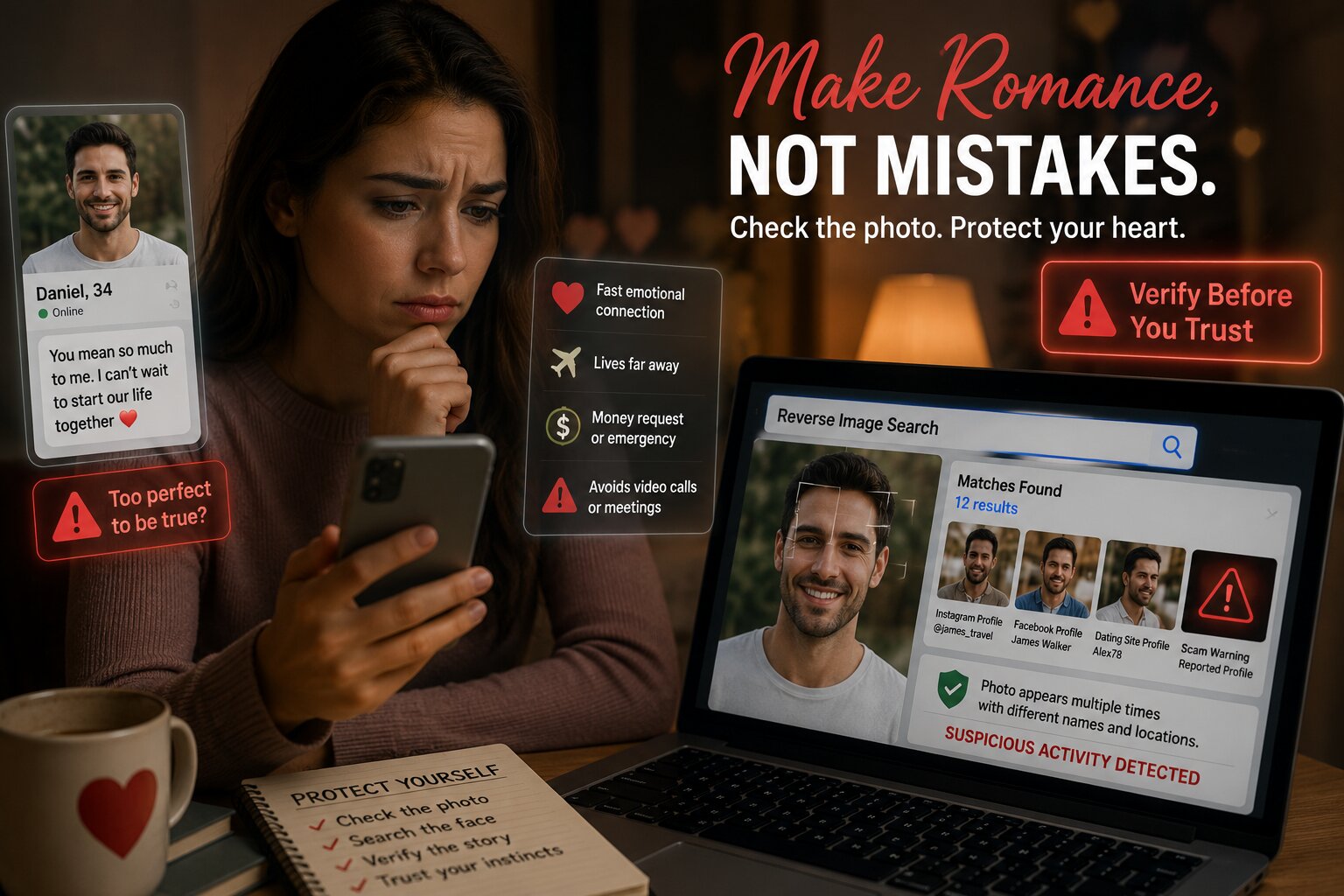
Suppose the Hinge profile says the person’s name is Daniel, but the same face repeatedly appears on public pages belonging to someone named Michael in a completely different country.
That deserves a closer look.
Other useful signals include the photo appearing under several unrelated names, being connected to an influencer or model, appearing on scam-warning pages, or being much older than the Hinge profile suggests.
On the other hand, finding consistent public accounts with matching information may reduce some concerns — although a face-search result alone should never be treated as absolute proof of someone’s identity.
Why Google Lens May Not Be Enough
Google Lens can be a useful first check, especially when somebody has copied an image exactly from another website.
The limitation is that ordinary image-search engines tend to work best when they can find the same image or a visually similar version of it.
Imagine someone steals three pictures from another person’s Instagram account but uses a completely different fourth photograph on Hinge.
Searching only for identical copies of that fourth image might return nothing.
A face-oriented search attempts to answer a different question:
Does this face appear in other publicly indexed photos online?
That is why combining traditional image search with face-based search can be more useful than depending on one technique alone.
An empty result is also not proof that a Hinge profile is genuine. The photograph might be new, privately shared, poorly indexed, heavily edited, or simply unavailable on publicly searchable pages.
What Should You Look for in the Results?
Do not focus only on whether a match appears.
Focus on consistency.
For example, imagine your Hinge match tells you:
My name is Chris, I live in Boston and I work in software.
A reverse face search finds public photos that consistently connect the same person to Boston and a technology-related professional profile.
That does not prove every detail the person gave you is correct, but the information is at least reasonably consistent.
Now imagine the same face appears under three completely different names, on unrelated dating profiles, or on a public account belonging to somebody whose biography does not resemble the Hinge profile at all.
That is a much stronger warning sign.
The goal is not to collect as much personal information as possible. It is simply to determine whether the public evidence supports or contradicts the story you have been given.
Does Hinge Verification Mean a Profile Is Definitely Safe?
No.
Hinge has introduced Face Check, which can use a video selfie and facial geometry to help compare a member with their profile photos and detect duplicate accounts.
However, Hinge explicitly says that successful verification does not guarantee a user’s identity or safety.
So a verification badge can be one positive signal, but it should not replace normal judgment.
A genuine person can still lie about their intentions, relationship status, job, location or other details.
Similarly, an account without extensive public search results is not automatically fake.
Think of reverse image search, Hinge verification and other checks as separate pieces of evidence rather than a single definitive test.
Hinge Catfish Warning Signs to Watch For
Photo inconsistencies become more meaningful when they appear together with suspicious behavior.
For example, be more cautious if someone repeatedly refuses a normal video call, always finds a reason not to meet, quickly pushes the conversation away from Hinge, gives changing stories about their life, or begins discussing money, financial emergencies or investments.
Hinge’s own safety guidance specifically warns users about people who refuse to meet or speak by phone/video, people pushing a serious relationship unusually quickly, and anyone requesting money or financial information.
The FTC gives similar advice and specifically recommends performing a reverse image search on a suspected romance scammer’s profile picture to see whether the photo appears with another name or inconsistent information.
That makes reverse image search particularly useful when the photo results reinforce behavioral red flags you were already noticing.
What If the Hinge Photo Search Finds Nothing?
This is one of the most important things to understand.
No result does not mean “verified.”
A search can return nothing because:
the person’s photographs are private, the pictures are relatively new, search engines have not indexed them, the uploaded image is too blurry, the person’s face is partially obscured, or there simply is not enough publicly accessible material online.
Try a second profile photo if one is available.
Someone might have six completely different images, and only one of them may have appeared publicly elsewhere.
You can also compare your findings with other information they voluntarily provide, rather than trying to infer an identity from one search result.
What If You Discover a Fake or Impersonating Hinge Profile?
If the evidence strongly suggests impersonation, you can report the account directly to Hinge.
Hinge says users can report profiles from the profile or chat interface, and reports are confidential. For impersonation reports, screenshots and details such as the displayed name, age, bio and photos can help Hinge investigate the account.
If the situation involves a romance scam, especially requests for money, stop sending money or financial information.
The FTC recommends ending contact, speaking with someone you trust, checking the profile image, reporting the account to the platform and reporting suspected fraud through the appropriate fraud-reporting channels.
Use Hinge Reverse Image Search for Verification, Not Surveillance
Face-search technology is most useful when it answers a narrow question:
Does this dating profile photo appear elsewhere publicly under information that conflicts with what I have been told?
Keep the search focused on publicly available information and personal safety.
Do not use reverse face search to harass somebody, track their private activity, bypass restricted profiles or pressure them with information they did not choose to share.
A search result should give you context — not permission to invade someone’s privacy.
Final Thoughts
Meeting someone on Hinge always involves a degree of trust.
A Hinge reverse image search gives you one more way to check whether that trust appears justified.
Take the clearest profile photo, crop the screenshot, run a reverse face search, and then examine whether the public results are consistent with the person’s profile.
If the same face appears under several identities, on unrelated profiles, or alongside completely different personal information, investigate further before meeting or sharing anything sensitive.
If nothing suspicious appears, remember that reverse image search still cannot guarantee that a person is trustworthy.
Use the results together with normal dating-safety precautions, Hinge’s built-in safety features and your own judgment.
Want to check a Hinge profile photo? Upload the image to FaceFinderLens and search for matching appearances across the public web.
FAQ
Can I search for someone on Hinge using a photo?
Hinge does not currently provide an internal photo-search tool. However, you can take a profile screenshot and use an external reverse image or face-search service to look for other public appearances of that photo or face.
Can FaceFinderLens search Hinge photos?
FaceFinderLens searches publicly accessible web sources for visual matches. It does not require or claim access to private Hinge accounts. A Hinge screenshot can be used as the input image to search for other public appearances of the face.
Can a screenshot from Hinge be reverse searched?
Yes. A clear screenshot can work. Crop unnecessary interface elements and select a photograph where the person’s face is clearly visible.
Can reverse image search detect a Hinge catfish?
It can provide useful evidence. If the same face appears publicly under a completely different identity or the photo is being reused by multiple unrelated accounts, that can be a significant warning sign. The result should still be considered together with other evidence.
Does no reverse image result mean the Hinge profile is real?
No. Public search coverage is never complete. Private, new, unindexed or heavily modified photographs may not produce useful matches.
Is a Hinge verified profile completely safe?
No. Hinge itself states that Face Check verification does not guarantee the identity or safety of a member.