
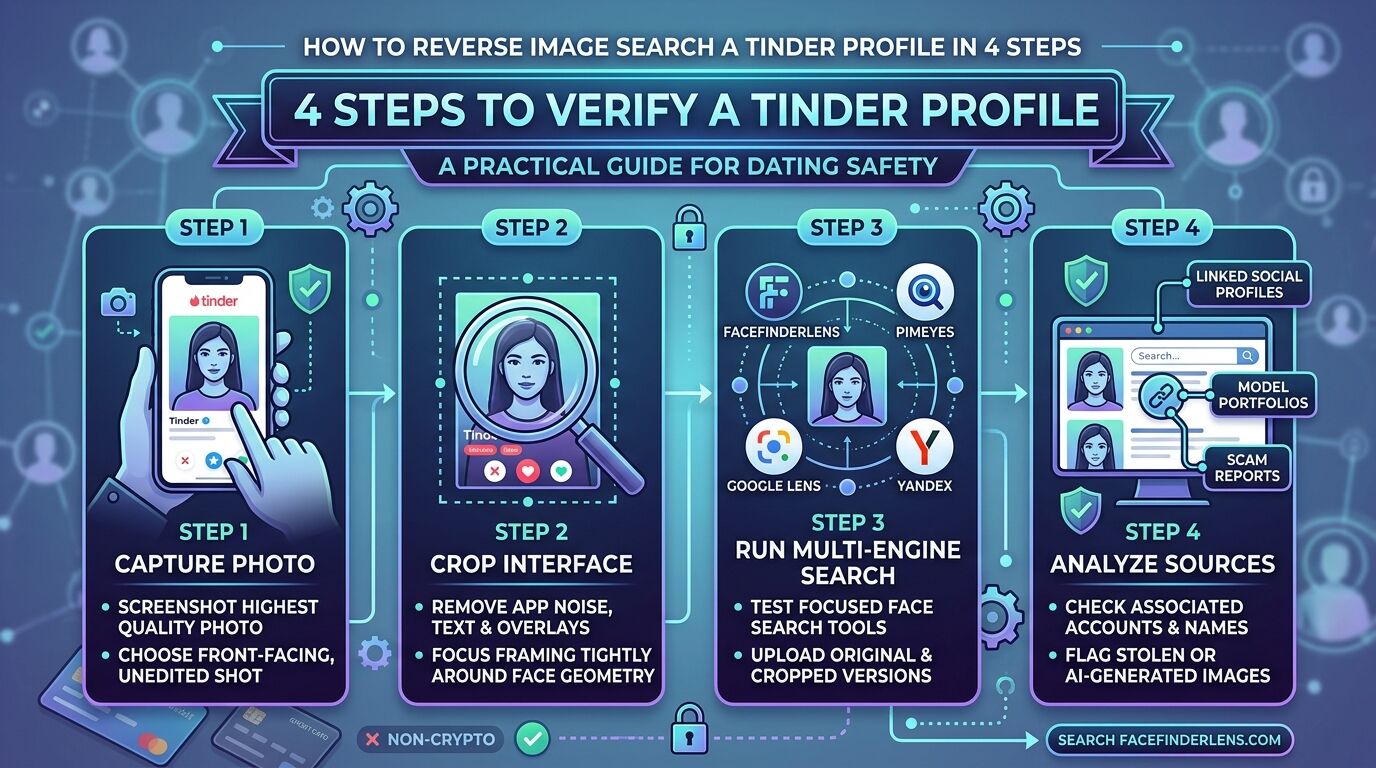
Reverse image searching a Tinder match takes about two minutes and settles the question that video calls and gut feeling only circle around: is this person who their photos say they are?
It works because catfish profiles are built from images that already exist somewhere else. Find where else the face appears, and you either confirm a consistent identity or expose a fabricated one. Here’s the process, step by step.
Step 1: Choose a Tool With Real Face Recognition
This is where most attempts fail. General reverse image search — Google Lens, TinEye, Bing — matches images, not faces. It looks for copies of the same file: same crop, same background, same compression. Change the angle, apply a filter, or crop tighter, and the match disappears.
Face recognition works differently. It maps the geometry of the face itself, which means it finds the same person in a completely different photo — different clothes, different lighting, different year.
For a Tinder profile, that distinction is everything. The catfish didn’t copy-paste one file; they took someone’s whole photo set.
FaceFinderLens is built for this case specifically. It searches for faces across social platforms, dating apps, and public web pages, handles cropped and filtered images, and flags photos that appear to be AI-generated — increasingly relevant now that a meaningful share of fake profiles use faces that never existed.
| What you want to know | What the search returns |
|---|---|
| Is this a real person? | Matching faces across public sources, with links |
| Do they have other accounts? | Linked social and dating profiles |
| Is the photo stolen? | Every source using the same face, with names |
| Is the photo AI-generated? | AI image detection flag |
| Has the image been edited? | Matches despite filters, crops, and compression |
Step 2: Pick the Right Pricing Model for How Often You’ll Use It
Reverse image search tools price in three ways, and picking wrong is how people end up on a $30/month subscription for a single check.
Per-search credits — best for occasional use. You buy a small number of lookups and use them when you need them. FaceFinderLens works this way: 3 searches for $3.95 or 7 searches for $6.95, with no recurring charge.
Monthly subscriptions — the standard model for tools like PimEyes, typically $30 or more per month. Worth it if you’re running searches regularly; poor value for verifying one match.
Free search engines — Google, Bing, and Yandex cost nothing and work well for celebrities, viral images, and products. For identifying a private individual from a dating profile, they’re unreliable, because they’re matching image similarity rather than facial structure.
Step 3: Use a Photo That Will Actually Return Results
Result quality depends heavily on which photo you upload. Face recognition needs a face it can measure.
Screenshot the profile photo and crop tightly to the head. The upload isn’t saved and the Tinder user isn’t notified — the search runs against public web sources, not against Tinder.
Photos that work well:
- Close-up, with the face filling a good portion of the frame
- Facing the camera more or less straight on
- The full face visible and in focus
- Even lighting, without heavy shadow across one side
Photos that don’t:
- Group shots — the tool may lock onto the wrong face
- Wide or distant shots where the face is only a few dozen pixels
- Sunglasses, hats pulled low, or hair covering much of the face
- Extreme angles, motion blur, or heavy beauty filters
If a profile only offers difficult photos, run two or three separate searches rather than picking one and concluding from a single result.
Step 4: Read the Results Properly
Results are sources and patterns, not a verdict. What matters is whether the picture they paint is coherent.
Signs the profile is genuine:
- The face appears online with a real, established footprint
- The name and details are consistent across every source
- Related photos are clearly the same person over time
- The linked accounts look lived-in — years of posts, real interactions, tagged photos by other people
Signs the profile is fake:
- The same face appears under multiple different names
- Sources show different ages, cities, or nationalities
- AI generation is flagged on the image
- The face traces back to a model portfolio, stock library, or content creator with an entirely different name
- The face appears in scam reports or on fraud-warning sites
If the results are inconclusive: empty or thin results aren’t proof of a catfish. Plenty of people genuinely have almost no online presence, especially if they avoid social media or use a name that’s hard to index. Try a different photo from the profile before drawing conclusions — and weigh the result alongside everything else about the conversation.
When Is Reverse Image Searching Worth Doing?
Reverse image search means using a photo as the starting point instead of a name — you already have their face, and you’re asking the public web where else it appears.
Some situations justify running it before you go further:
- The profile isn’t verified and the photos look professionally shot
- Money, crypto, gift cards, or investments have come up in any form
- Video calls are consistently refused or deflected
- Meeting in person keeps getting postponed with new reasons
- Details about their job, location, or life have shifted between conversations
- You’re about to meet in person, or share something you can’t take back
That last one matters most. Photos are trivial to steal, social accounts are cheap to fabricate, and Tinder’s own Face Check can be worked around. A face search checks the one thing a catfish can’t easily control: whether that face already belongs to someone else, somewhere else, under another name.
Frequently Asked Questions
Can you reverse image search a Tinder profile?
Yes. Screenshot the profile photo, crop to the face, and upload it to a face recognition tool such as FaceFinderLens. The search runs against public web sources — the Tinder user isn’t notified and nothing is posted to their profile.
Are free tools good enough for this?
Usually not. Google, Bing, TinEye, and Yandex match image files rather than facial structure, so they work for celebrities and viral photos but frequently return nothing for a private individual whose photo has been cropped or filtered. Paid face recognition tools find the same person in different photos, which is what the job actually requires.
Does the person know I searched their photo?
No. The search queries public web sources for matching faces. Nothing is sent to Tinder, and the person whose photo you uploaded receives no notification.
What if the search returns no matches at all?
That’s inconclusive rather than damning. Some people have almost no public online presence. Try another photo from the profile, and read the result alongside the other signals — a refusal to video call carries more weight than an empty search does.
What’s the best reverse image search tool for dating apps?
The right tool has genuine face recognition, covers dating and social platforms, and doesn’t force a subscription for a one-off check. FaceFinderLens fits that profile at $3.95 for three searches; PimEyes is more powerful but priced for regular use at around $30 per month.