
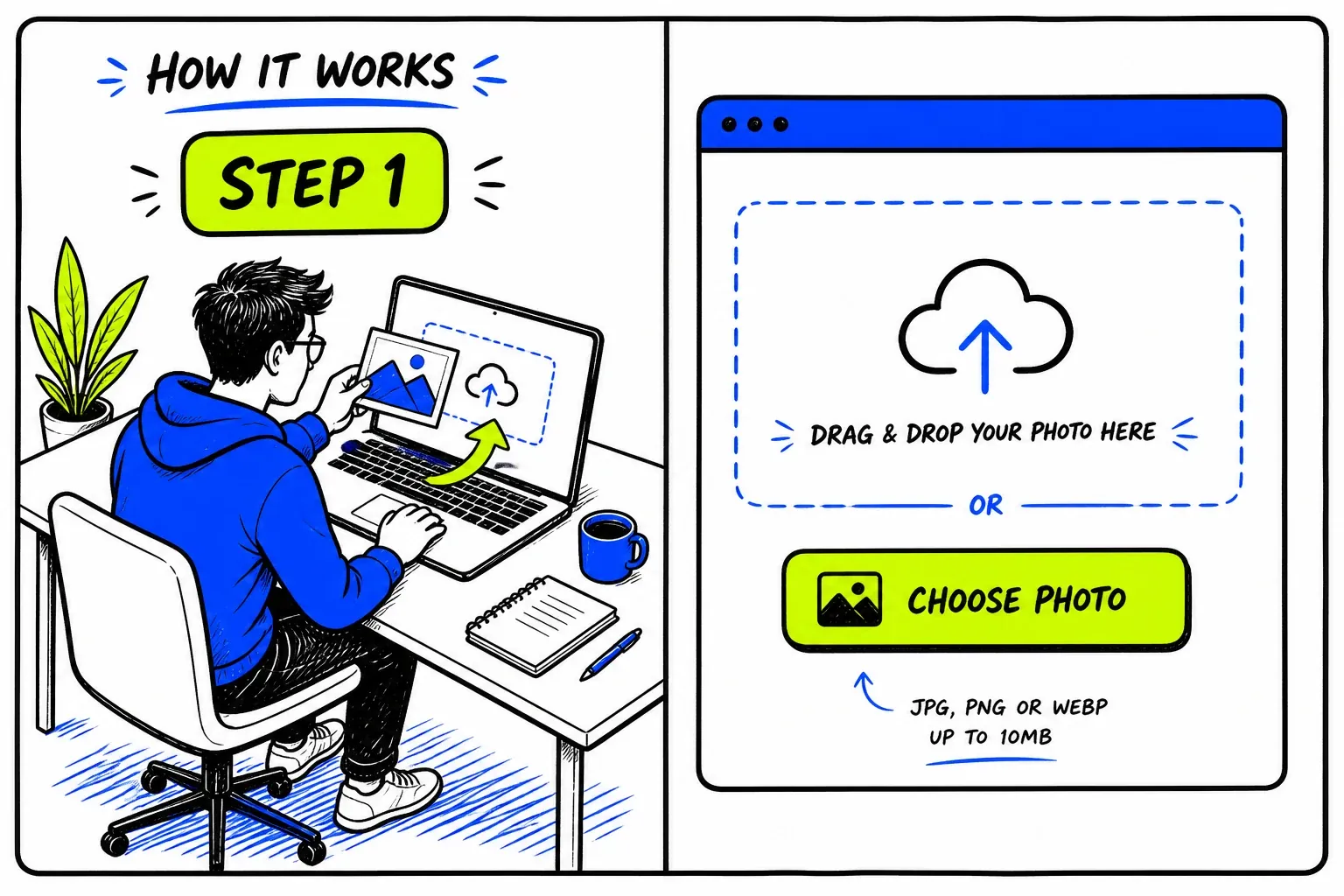
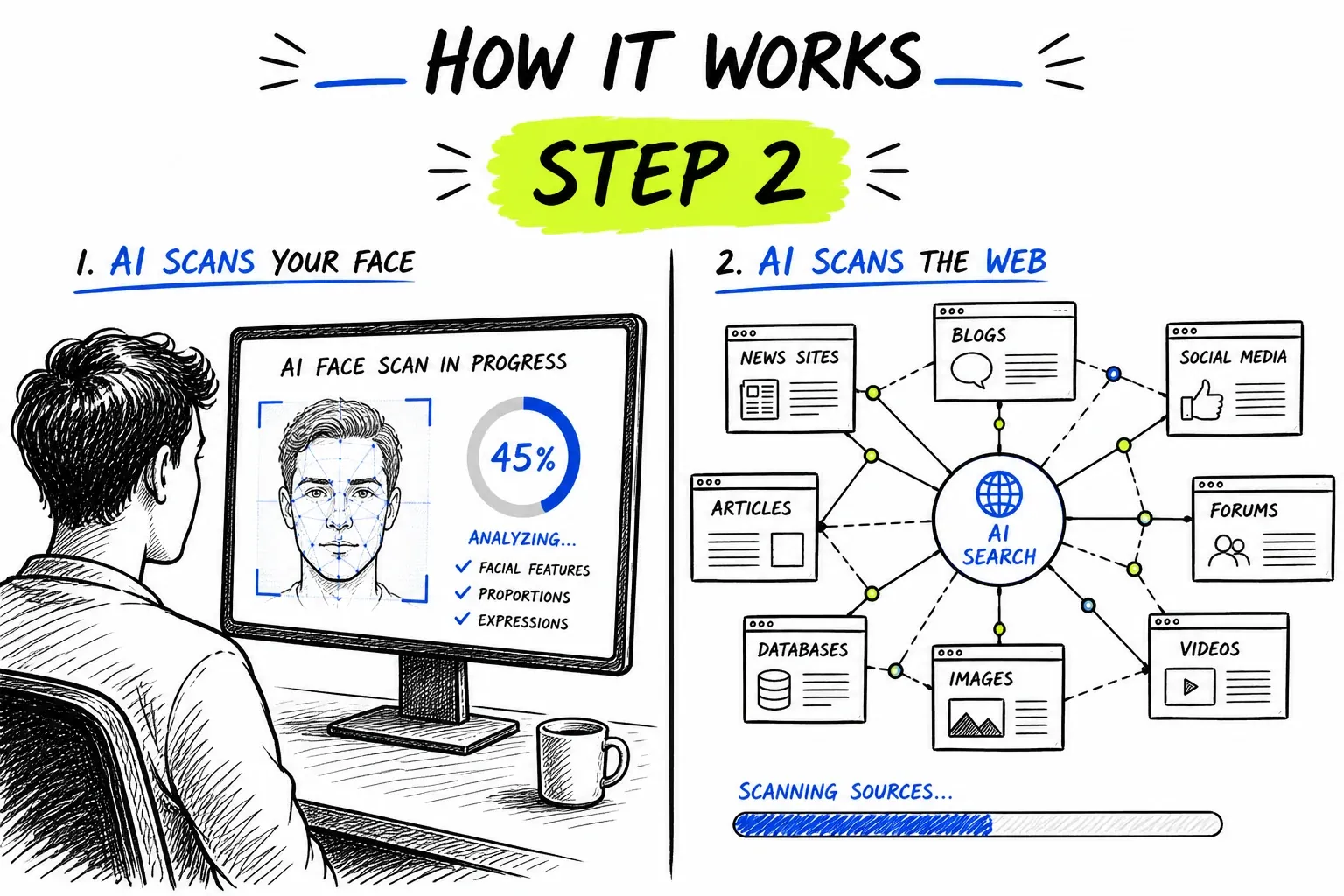

What Is a WhatsApp Face Search?
It is worth being blunt about this one. WhatsApp has no public directory, no public profiles and no web pages for a crawler to reach — every message is end-to-end encrypted and nothing is indexed. So a WhatsApp face search cannot tell you who owns a number. What it can do is take the profile photo already visible in your chat and ask whether that face belongs to the person sending it, or to a stranger whose picture was taken from somewhere else.
To be precise about the mechanics: nothing here queries WhatsApp, and nothing could. The search runs against an index built from publicly reachable pages — social profiles, news, directories, forums — and asks whether the face in your chat already appears in it. The same engine powers our general face search tool; this page covers what it does and does not reach where WhatsApp is concerned.
What Is Actually Public on WhatsApp
Almost nothing — which is exactly why the profile photo matters so much.
No directory, no profile pages
Identity is a phone number
Your photo is visible by default
Business accounts show a little more
When a WhatsApp Face Search Helps
WhatsApp is where a scam moves once it wants privacy. The borrowed photo usually travels with it.
The Wrong-Number Opener
“Hi, is this Emma?” from a number you do not know is the standard first move in a long-con investment scam. The friendly chat that follows is the setup; the photo is the part you can actually verify.
- A stock or model portrait answers it outright
- Check before the conversation gets friendly
A “New Number” From Family
“Hi mum, I lost my phone, this is my new number.” If a photo has been set at all, searching it is quick. The stronger check is still to call the old number — but a photo traced to a stranger settles it immediately.
- Call the original number before sending money
- Many of these accounts use no photo at all
Investment and Crypto “Advisors”
Contacts who meet you on Instagram or LinkedIn and immediately move to WhatsApp are following a script. The confident professional headshot is the credential on offer, and it is checkable.
- Reused across many names is the giveaway
- Check before any deposit or wallet transfer
Recruiters and Paid-Task Offers
Job scams open with a recruiter photo and a WhatsApp number, then ask for a fee or bank details. Comparing the photo against the real company is a fast sanity check.
- Compare against the firm's own staff page
- No legitimate employer charges to hire you
Getting a Usable Photo Out of a Chat
WhatsApp shows a small circular thumbnail. Open it properly before you capture it.
- Tap the avatar to open it full-sizeOpen the contact, then tap the picture so it fills the screen. The circle in the chat list is cropped and far too small to search well.
- Screenshot, then crop to the faceThere is no download option for a profile photo, so a screenshot is the way. Crop away the interface and leave just the head and shoulders.
- Mind the circular cropWhatsApp masks photos into a circle, which can cut the chin or forehead. Keep whatever of the face you can see and accept the rounded edges.
- Check photos they have sent as wellA selfie sent in conversation is usually larger and sharper than the profile picture, and a better candidate for a search.
The general rules — sharp, evenly lit, front-facing, one face per search — apply here too. They are covered in more depth on the face search guide.
Running a WhatsApp Face Search Here
Aimed at the Check Before the Transfer
WhatsApp searches almost always happen with a decision pending — a payment, a deposit, a bank detail. Results come back as source pages with similarity scores, so a stock-library or wrong-name match is something concrete you can act on straight away.
- Direct link to every matching page
- Stock and reused portraits stand out fast

Honest About an Encrypted Platform
No service can search WhatsApp itself, and any that claims to is selling you something else. We would rather say plainly that the photo is the only checkable surface and be genuinely useful about it.
- No claims about messages, numbers or contacts
- One credit balance across every tool
Coverage Limits on WhatsApp
The platform itself is closed. These are the honest edges of what a photo can tell you.
- WhatsApp content is never searchable
- Messages, groups, numbers and contact lists are encrypted and unpublished. No index holds them and no tool can reach them.
- Often there is no photo to search
- Many of these accounts show no picture, or use a car, a landscape or a logo. Scam accounts frequently show nothing at all.
- The photo can be hidden entirely
- Anyone can set their profile photo to Nobody, or restrict it to contacts, and then there is simply nothing visible to capture.
- Photos are small and swapped often
- Profile pictures are served at low resolution, and changing one is instant and free, so a scammer's photo may already be different from the one a crawler saw.
- Generated portraits leave no trail
- A synthetic face has no history anywhere and will legitimately return nothing — which is worth recognising rather than reading as reassurance.
- An empty result is not clearance
- No matches means nothing was found. With an unsolicited message about money, judge the request itself, not the absence of a photo trail.
Privacy and Responsible Use
This searches publicly published material. It does not access WhatsApp accounts, messages, groups, phone numbers or contact lists, and it cannot retrieve anything that was never published to the open web.
Your uploaded photo is passed to our search provider to run the query and removed from our servers immediately afterwards. Searches are not published, and nobody is notified.
If a WhatsApp contact has asked you for money, checking their photo is sensible self-protection. If you have already sent funds, contact your bank straight away and report it to your national fraud authority — and treat any unsolicited offer to recover that money as a second attempt at the same scam.
Before you search
- Only upload photos you have the right to use.
- Have a reason you would be comfortable stating out loud.
- Treat every match as a lead to check, never as a confirmed fact.
- Never use results to contact, follow, pressure, or expose someone.
- Do not use this tool for employment, credit, housing, or insurance screening — it is not a consumer reporting agency.
- Report impersonation to WhatsApp in-app rather than acting on it yourself.
Perguntas frequentes
Can you find someone's WhatsApp account from a photo?
No, and no tool can. WhatsApp has no public directory and publishes no profile pages, so there is nothing on WhatsApp's side for a search to match against. What is searchable is whether that same photo appears anywhere else on the public web.
How do I check if a WhatsApp number is a scammer?
Search their profile photo. A match to a stock library, a model portfolio or a real person under another name tells you the account is not who it claims to be. Weigh it alongside the classic signals: an unprompted first message, a quick move to investment talk, and any refusal to take a live video call.
Is this the same as WhatsApp's own “Search on web” option?
No. WhatsApp's built-in option forwards an image from a chat to Google's general image search, and it applies to media people send you rather than their profile picture. This is a face search: it matches the face itself across indexed pages, not the exact file.
They have no profile photo. What now?
Then there is nothing to search, which is common with scam accounts and with “hi mum” messages. Fall back on verification that does not involve the photo: call the number you already had, or ask something only the real person could answer.
Will they know I checked?
No. The search never touches WhatsApp, and nobody is notified.
The photo checked out — is the contact genuine?
Not necessarily. A photo can be stolen from a real person and still look clean here, and hijacked accounts carry their owner's authentic picture. A clear result removes one red flag; it does not verify who is holding the phone.
Where to Go Next
One index sits behind all of these — the difference is the question you are asking of it.
Guias e recursos
Guias detalhados a condizer com esta ferramenta — dicas, estatísticas e tutoriais passo a passo.
- Romance Scam Prevention with Reverse Image Search: How to Spot Fake Profiles
- How to Spot an AI-Generated Face Online
- How to Reverse Image Search a Tinder Profile in 4 Steps
- Catfishing Statistics 2026: Victims, Losses, and Platform Data
- Is Social Catfish Worth It for Reverse Image Search? 8 Alternatives Tested