
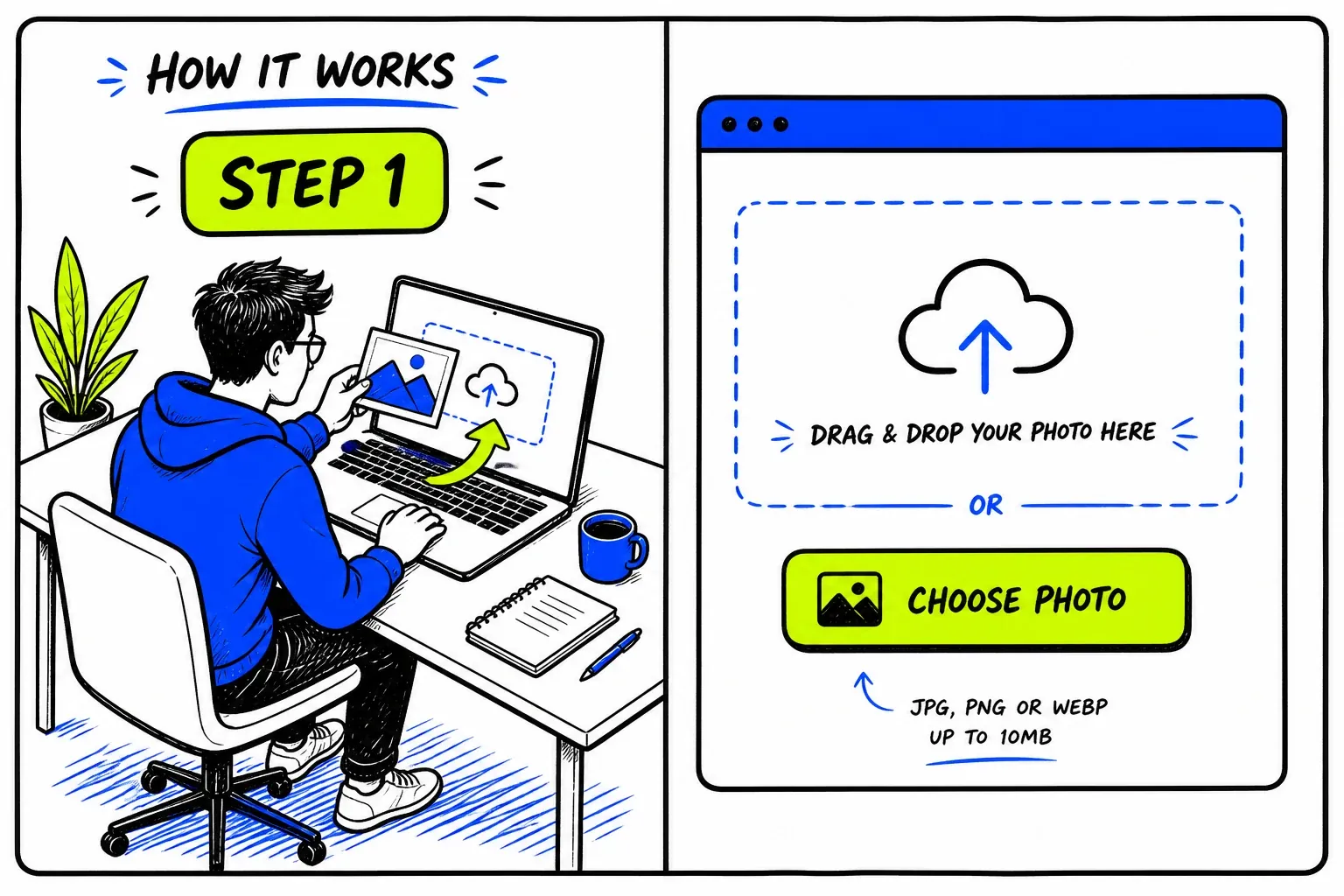
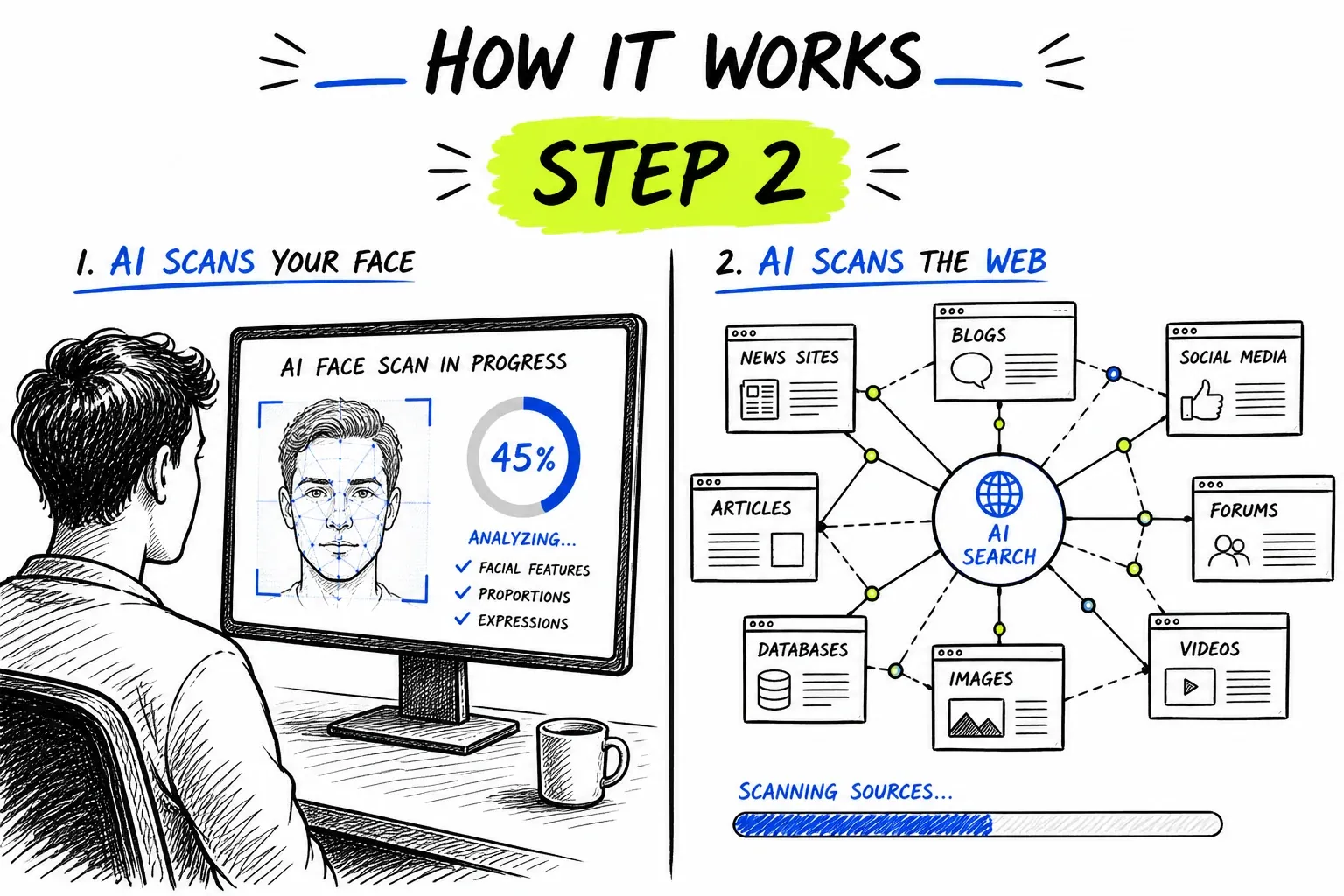
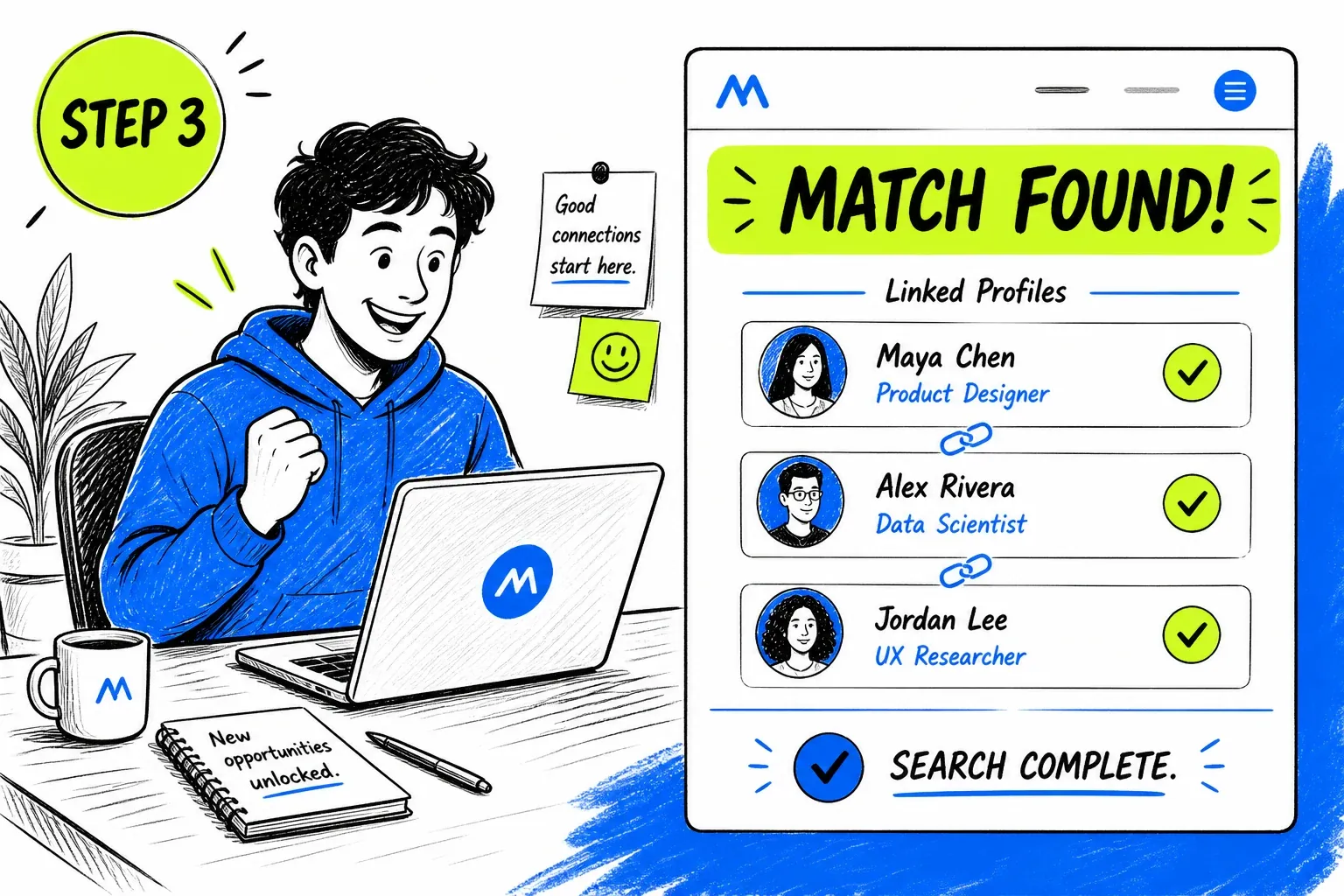
What Is a Pinterest Face Search?
Pinterest is not a place people use to be found; it is a place images are saved. A photo may be pinned thousands of times, each copy pointing at a different, often dead, link. That makes it a favourite quarry for anyone who needs a believable face: fake dating profiles and “advisor” accounts regularly use pictures pulled from boards. A face search runs the other direction — from the picture back to the people and pages it really belongs to.
To be precise about the mechanics: nothing here queries Pinterest. The search runs against an index built from publicly reachable pages and asks whether the face in your photo already appears in it. The same engine powers our general face search tool.
How Photos Travel Through Pinterest
Why a pinned picture so rarely points to the person in it.
Pins detach from their source
Boards are collections, not identities
Public pins are indexed
Visual search is for objects
When a Pinterest Face Search Helps
A picture with no source is a picture with no owner. The aim is to put the owner back.
Find the Original of a Pinned Photo
A portrait with a broken link and no credit is common. Searching the face finds earlier copies and often the page it first appeared on.
- Earlier dates usually mean closer to the source
- Useful for crediting a photographer properly
Check Whether a Profile Photo Came From a Board
Fake accounts draw heavily on mood-board and lifestyle photography. If a “person’s” picture also sits on stock or model pages, it was never theirs.
- Model portfolios and stock sites are the usual origin
- Check before the conversation gets personal
Spot a Re-Used Influencer Look
Influencer-style photos get re-pinned and recycled as new identities. A match to an established account under another name shows the lift.
- The same face under several names is the tell
- Compare against the claimed account’s own posts
Find Out Whether Your Own Photo Is Out There
A portrait of you saved to a board without your knowledge is a common surprise. Searching your own face shows where it has travelled.
- Search from a clear, recent photo
- Ask the host site to remove it where appropriate
Getting a Usable Photo From a Pin
Pins are often compressed copies of copies. Start from the best version you can reach.
- Open the pin full-sizeUse the largest view rather than the board thumbnail.
- Follow to the linked pageIf the source link still works, take the picture from there; it is often sharper.
- Crop to one faceBoards often show groups or crops with text. Leave a single face with some margin.
- Skip filtered or stylised pinsHeavy filters and overlays change the face. A plain version matches far better.
The general rules — sharp, evenly lit, front-facing, one face per search — apply here too. They are covered on the face search guide.
Running a Pinterest Face Search Here
Aimed at Finding the Source
Results come back as source pages with similarity scores, so you can see where else a face lives and judge which copy is the original. That is usually enough to separate a real person’s photo from a lifted one.
- Direct link to every matching page
- Reused portraits stand out fast

Honest About What Pinterest Is
Pinterest is a collection tool, not a directory of people. We search the open web for the face, rather than pretending Pinterest can be searched by identity.
- No claims about boards or accounts
- One credit balance across every tool
Coverage Limits on Pinterest
A photo can only be traced where copies are public. These are the honest edges.
- Private boards are not reachable
- Secret and private boards are not indexed by anyone.
- Pins rarely carry a name
- Even a found copy may have no credit or identity attached.
- Heavily edited images match poorly
- Filters, crops and text overlays reduce the chance of a match.
- Generated portraits leave no trail
- A synthetic face has no history and legitimately returns nothing.
- The original may not be indexed
- If the first publication is offline or behind a login, it cannot be found.
- An empty result is not clearance
- No matches means nothing was found, not that the photo is original.
Privacy and Responsible Use
This searches publicly published material. It does not access Pinterest accounts, boards or private pins, and it cannot retrieve anything that was never published to the open web.
Your uploaded photo is passed to our search provider to run the query and removed from our servers immediately afterwards. Searches are not published, and nobody is notified.
If a WhatsApp contact has asked you for money, checking their photo is sensible self-protection. If you have already sent funds, contact your bank straight away and report it to your national fraud authority — and treat any unsolicited offer to recover that money as a second attempt at the same scam.
Before you search
- Only upload photos you have the right to use.
- Have a reason you would be comfortable stating out loud.
- Treat every match as a lead to check, never as a confirmed fact.
- Never use results to contact, follow, pressure, or expose someone.
- Do not use this tool for employment, credit, housing, or insurance screening — it is not a consumer reporting agency.
- Report impersonation to Pinterest in-app rather than acting on it yourself.
Perguntas frequentes
Can you search Pinterest by face?
Not inside Pinterest. Its visual search finds similar-looking pins and products, not a particular person. A face search looks for the same face across indexed pages, which can include Pinterest pages that are publicly reachable.
How is this different from Pinterest’s own visual search?
Pinterest’s tool finds visually similar pins — same style, colour or object. This matches a face itself across the wider web, so it can tell you who a portrait belongs to, not what other pins resemble it.
Can it find the original photographer?
Sometimes. When an earlier or higher-quality copy is indexed with a credit, it will show up in results. When no credited copy exists publicly, there is nothing to find.
Will the pinner know I searched?
No. The search never touches Pinterest, and nobody is notified.
The photo checked out — is the account genuine?
Not necessarily. A photo can be stolen from a source that is not indexed and still look clean here. A clear result removes one red flag; it does not verify identity.
Where to Go Next
One index sits behind all of these — the difference is the question you are asking of it.
Guias e recursos
Guias detalhados a condizer com esta ferramenta — dicas, estatísticas e tutoriais passo a passo.
- 6 Best Social Catfish Alternatives for Reverse Image & Identity Checks
- 6 Best FaceCheck.ID Alternatives for Reverse Face Search (No Crypto)
- 7 Best TinEye Alternatives for Reverse Image Search in 2026
- How to Verify Someone You Met Online: Photo, Phone, Email
- Face Similarity Test: How to Read a Face Match Score