
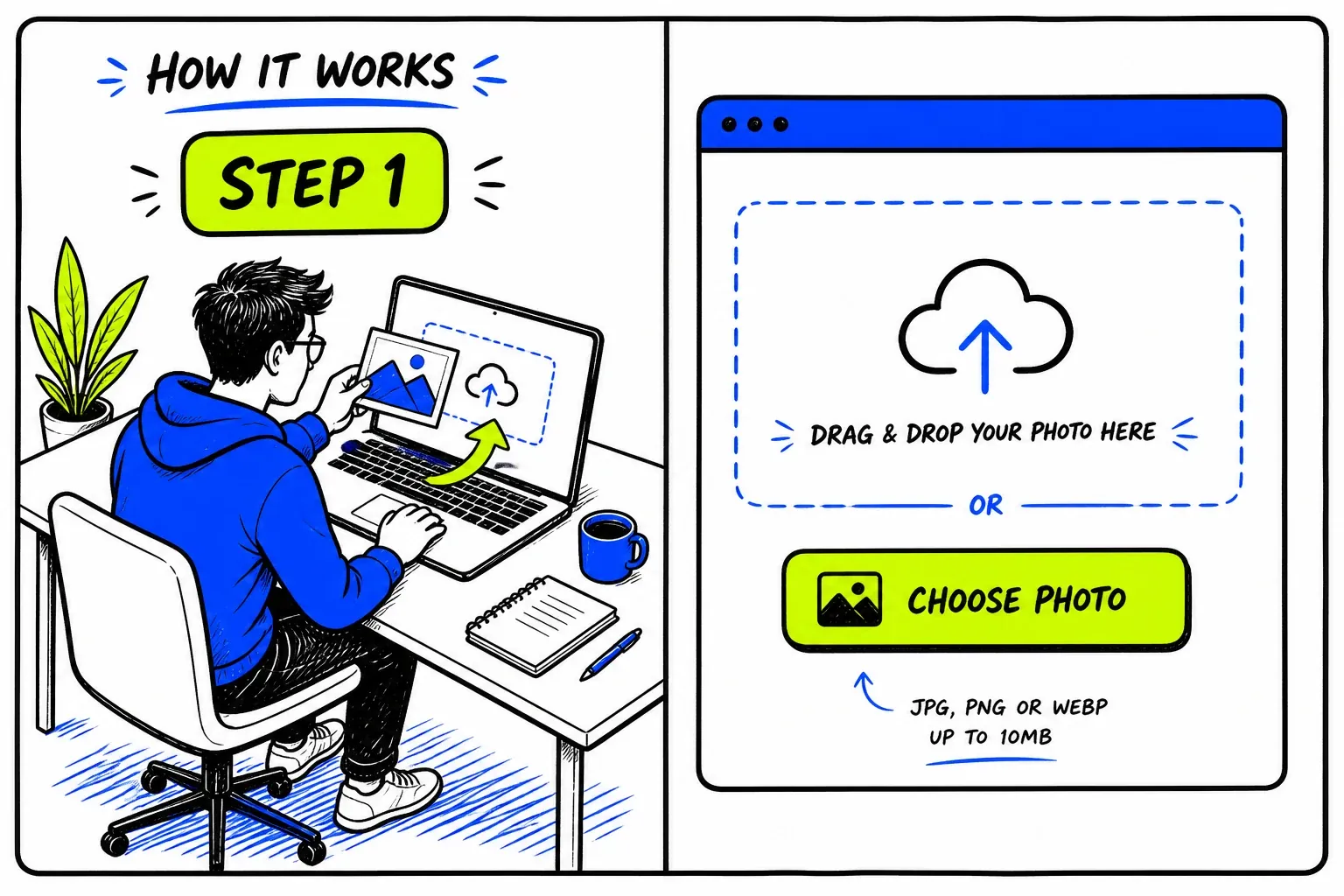
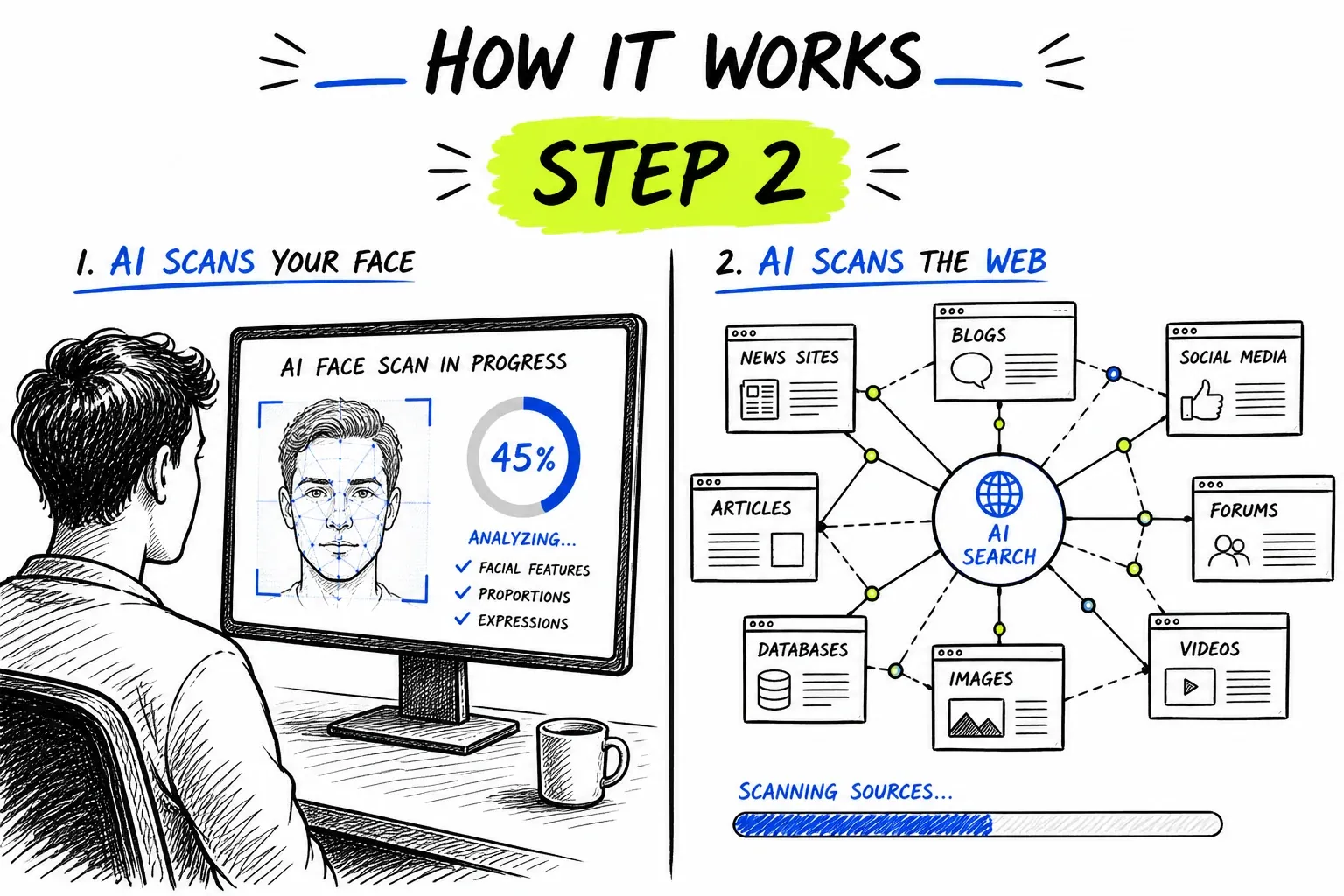
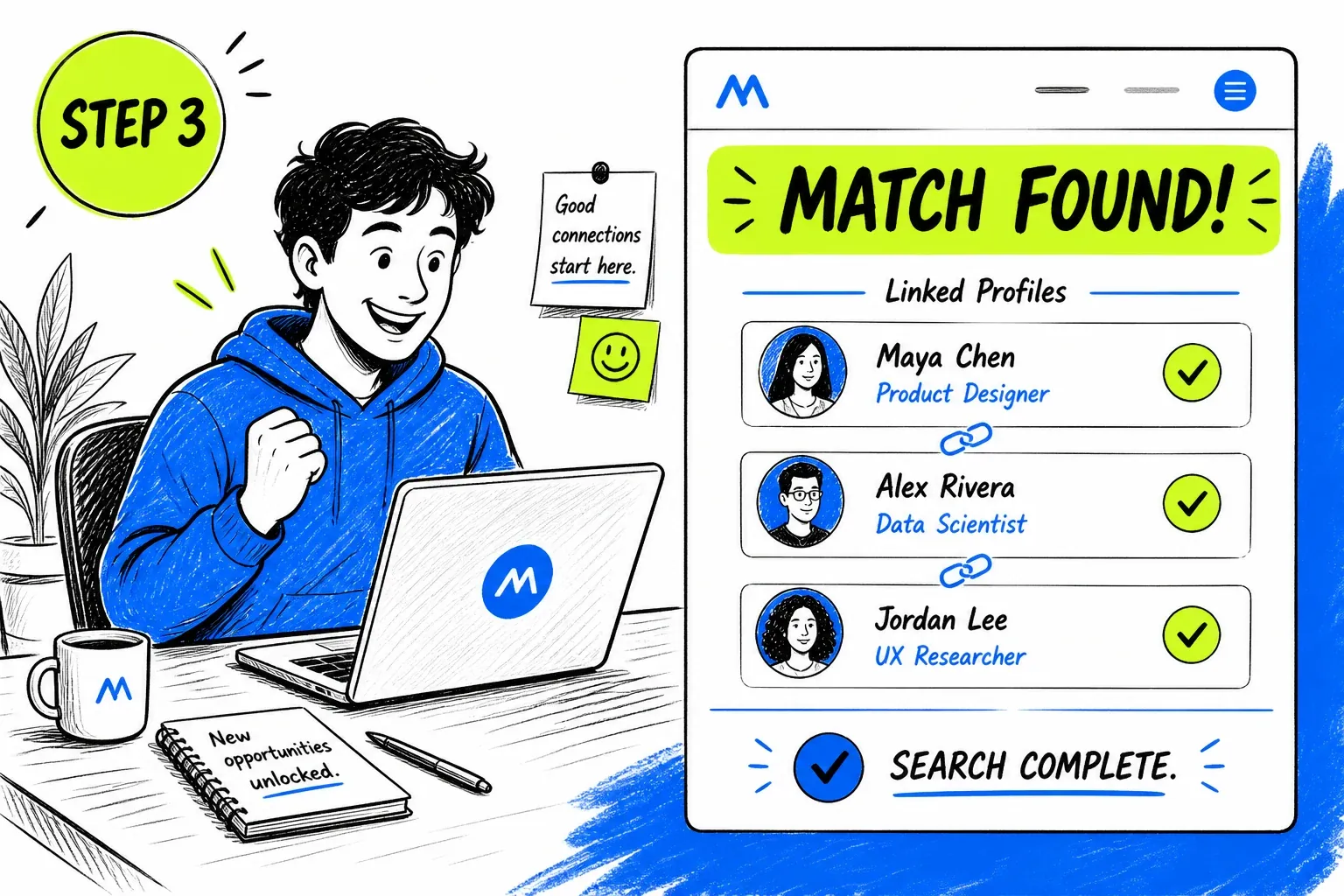
What Is a Hinge Face Search?
Hinge profiles are deliberately personal: up to six photos, three written prompts and sometimes a voice prompt. That depth feels trustworthy, which is exactly why a borrowed identity can slip through. None of it is published to the web, so a search cannot find the profile — but each photo can be checked against what is public.
To be precise about the mechanics: nothing here queries Hinge. The search runs against an index built from publicly reachable pages — social profiles, news, directories, forums — and asks whether the face in your match already appears in it. The same engine powers our general face search tool.
What Is Actually Public on Hinge
The profile itself is not. What is public is everything the same person has posted elsewhere.
Profiles stay inside the app
Six photos give you six chances
Prompts and voice notes are separate
The phone number is not visible
When a Hinge Face Search Helps
Hinge rewards a slower, more considered start. A photo check fits that pace and takes under a minute.
Check Photos That Look Like a Portfolio
A profile of six polished, professionally lit images with little variety can be lifted from a model or influencer. Real people usually have some imperfect, in-context shots.
- Try the most polished photo first
- Compare across all six, not just the first
Look Past a Well-Written Prompt
A clever prompt answer can be copied from elsewhere, and a warm voice prompt does not confirm who is in the photos. Treat the words as separate from the face.
- Search a distinctive line as well as the photo
- A voice note is not identity proof
Weigh a “Most Compatible” Suggestion
Hinge picks a daily suggestion from your preferences and past likes. Being recommended says nothing about whether the photos are genuine.
- An algorithmic match is not a vetted one
- Run the check on the suggestion like any other
Before You Hand Over a Phone Number
Hinge accounts are tied to a phone number, but yours is the one being asked for next. Make sure you know whose face you are about to share it with.
- Prefer an in-app chat first
- Ask for a short video call before moving platforms
Before Meeting in Person
Confirm the person in the photos is genuine, then meet somewhere public and let a friend know. A match under another name is a reason to pause, not to confront.
- Compare any extra photos they send
- Hold off if they avoid live video
Getting a Usable Photo Out of Hinge
Photos are large and sharp, but check which one you choose.
- Pick a solo shotSkip the group photos. Choose one where only the person you are checking is in the frame.
- Screenshot the single photoCapture one image at a time rather than the whole profile screen, then crop to the face.
- Try more than oneIf the first photo returns nothing, run a second. Different photos can have different sources.
- Avoid sunglasses and heavy filtersPlain, daylight, front-facing images give the cleanest comparison.
The general rules — sharp, evenly lit, front-facing, one face per search — apply here too. They are covered on the face search guide.
Running a Hinge Face Search Here
Made for Checking One Photo at a Time
Hinge gives you several pictures to test. Results come back as source pages with similarity scores, so you can see exactly where a matching face lives and judge the context yourself.
- Direct link to every matching page
- Similarity score shown for each match

Honest About an App-Only Platform
Hinge profiles are not on the open web, and no tool can search inside them. A photo check tells you about the face, not the account.
- No claims about prompts, matches or messages
- One credit balance across every tool
Coverage Limits on Hinge
These are the honest edges of what a photo can tell you.
- Hinge profiles are not searchable
- Prompts and photos are not indexed, so a search cannot confirm someone is on Hinge.
- A match is evidence, not proof
- A face on another page suggests a link. A lookalike is possible, so read the page and judge.
- Private accounts stay hidden
- If their other accounts are locked, the photos there are not indexed and cannot be matched.
- Voice and text are not searched
- Only faces are compared. Prompt wording and voice notes cannot be traced by this tool.
- Generated faces leave no trail
- A synthetic profile picture has no history and legitimately returns nothing.
- An empty result is not clearance
- No matches means nothing was found. Judge the behavior, not the absence of a trail.
Privacy and Responsible Use
This searches publicly published material. It does not access Hinge accounts, matches, prompts or messages, and it cannot retrieve anything that was never published to the open web.
Your uploaded photo is passed to our search provider to run the query and removed from our servers immediately afterwards. Searches are not published, and nobody is notified.
If someone you met on Hinge has asked for money or an investment, run the check before anything else. If you have already sent funds, contact your bank straight away and report it to your national fraud authority — and treat any offer to recover that money as a second attempt at the same scam.
Before you search
- Only upload photos you have the right to use.
- Have a reason you would be comfortable stating out loud.
- Treat every match as a lead to check, never as a confirmed fact.
- Never use results to contact, follow, pressure, or expose someone.
- Do not use this tool for employment, credit, housing, or insurance screening — it is not a consumer reporting agency.
- Report fake profiles to Hinge in-app rather than confronting the person yourself.
よくある質問
Can you find a Hinge profile from a photo?
No. Hinge does not publish profile pages and offers no public search, so there is nothing for a face search to match. What can be searched is whether the same face appears on other public pages.
Does Hinge being tied to a phone number make profiles safer?
It raises the cost of creating an account, but it does not verify who the person is. A real phone number can sit behind a stolen photo, so the photos still deserve a check.
Does Hinge have photo verification?
Yes, Hinge offers a selfie-based verification. As with any such badge, it confirms the selfie resembles the photos, not that the person is honest about everything else.
Which of the six photos should I search?
Start with the clearest solo shot, then try a second one if the first returns nothing. A stolen set often comes from one source, so a single hit can explain the rest.
Will they know I checked?
No. The search never touches Hinge and nobody is notified. Your uploaded photo is used only to run the search and is removed from our servers afterwards.
Where to Go Next
One index sits behind all of these — the difference is the question you are asking of it.
ガイドと資料
このツールに関連する詳しいガイド — コツ、統計、手順の解説。
- How to Reverse Image Search a Hinge Profile Photo
- How to Reverse Image Search a Tinder Profile in 4 Steps
- Catfishing Statistics 2026: Victims, Losses, and Platform Data
- Is Social Catfish Worth It for Reverse Image Search? 8 Alternatives Tested
- 6 Best PimEyes Alternatives for Reverse Face Search (Free & Paid)